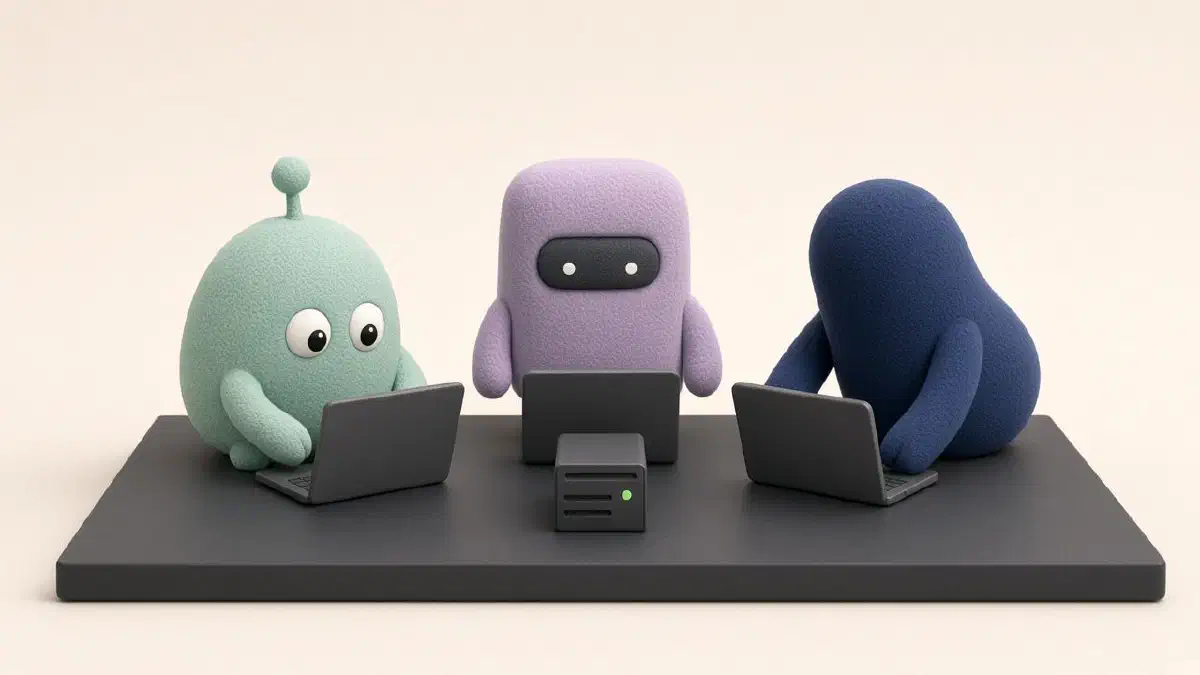
An Always-Free Lab for Your AI Agents
You have an idea at 11 p.m. A flow, a screen, a thing you want to click before you decide if it is worth a week. You ask an agent to build a rough version. It starts. Then the laptop sleeps, the fan spins, or you close the lid to go to bed, and the experiment dies with it.
That is the actual problem. Not “orchestration.” A chat window is a conversation. A prototype needs a computer that stays awake while you are not looking at it.
I keep a small computer in the cloud for that. Oracle gives one away on the Always Free plan. It is big enough for agents to build, break, and rebuild things. My laptop is how I talk to it. This post is the map I wish I had the first time: what the machine is, why a tool called Tailscale matters, and the notes I hand the agent so it does not wreck the place.
You do not need to become the person who types the commands. You need to know what to ask for, and what to refuse.
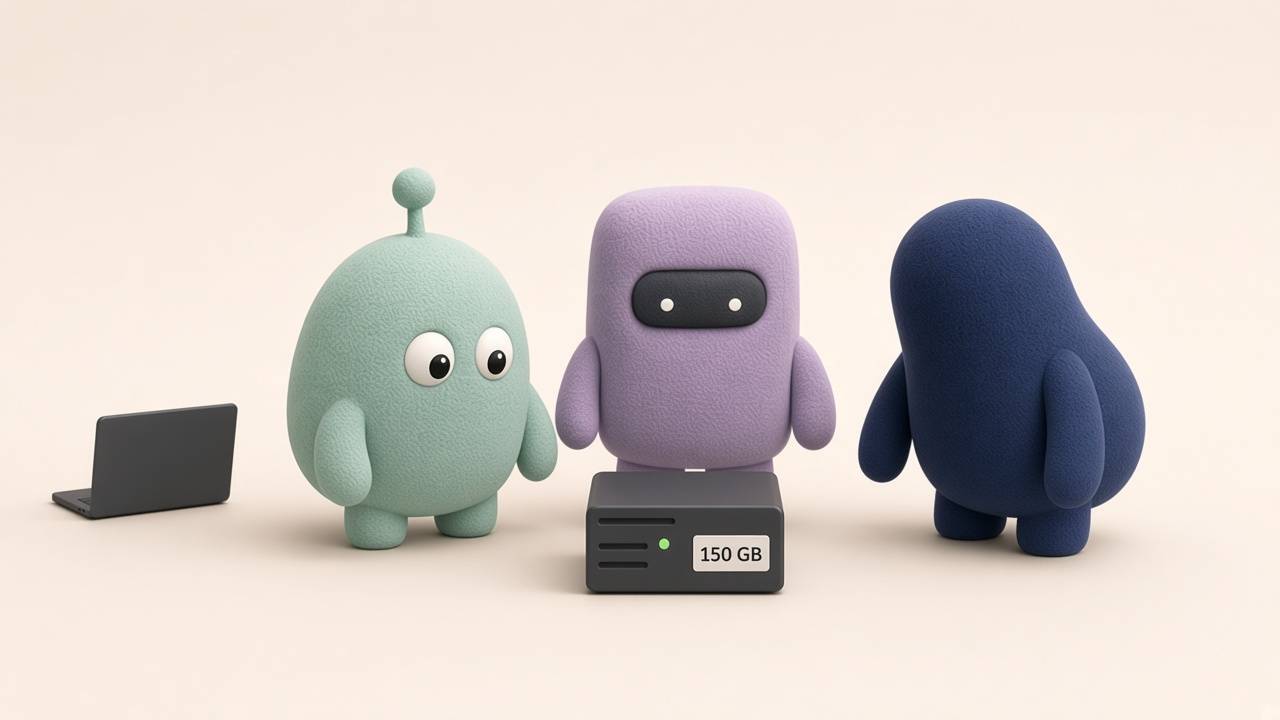
The lab is a small always-on machine. The laptop is just how you talk to it.
1. What “Free” Actually Gives You
Oracle’s free plan is a real computer, not a trial that expires. The catch is that the brochure from 2024 is wrong.
As of October 2026, the free Arm computer is about two processors and 12 GB of memory, plus 200 GB of disk in total. Older tutorials still say four processors and 24 GB. If you follow those, you step outside the free plan and the bill starts.
I use the whole free computer as one machine, and I give it a 150 GB disk. That is most of the 200 GB, on purpose. Agents are messy. Every experiment leaves behind copies of tools, folders of dependencies, and old drafts of the thing you were testing. A 50 GB disk, which is what the form suggests, fills up in a few busy weeks. Then the agent stops, not because the idea failed, but because the drawer is full.
You set 150 GB when you create the computer, in the same screen where Oracle asks for the disk size. If the computer already exists and the disk is smaller, you grow it from Oracle’s website first, then you tell the agent: “The disk was resized in the console. Grow the partition. Do not format it.” The agent knows the two commands. You know the rule: grow, do not erase.
[!important] The computer is a different kind of chip This free machine is Arm, the same family as a phone or a recent Mac, not the Intel chip most old tutorials assume. If a tool “mysteriously” will not start, the usual reason is that you installed the version made for the other chip. Tell the agent that. It saves an hour of staring at an error that looks like the internet is down.
Two Oracle rules are worth knowing because they delete computers people thought were permanent.
“Out of capacity.” In popular regions the free computers run out. The message is temporary. Try again later, or try another availability zone in the same region. Paying Oracle does not, by itself, charge you for the free allowance. It does charge you for anything past it. If you upgrade the account so the computer is easier to create, tell Oracle’s quotas to stop at two processors and 12 GB. That is the fence against a tired click.
A quiet computer gets taken back. If the machine barely does anything for seven days, Oracle may reclaim it. A lab where you and your agents are actually trying things stays safe. A computer you create and forget does not. This is a workbench, not a storage unit.
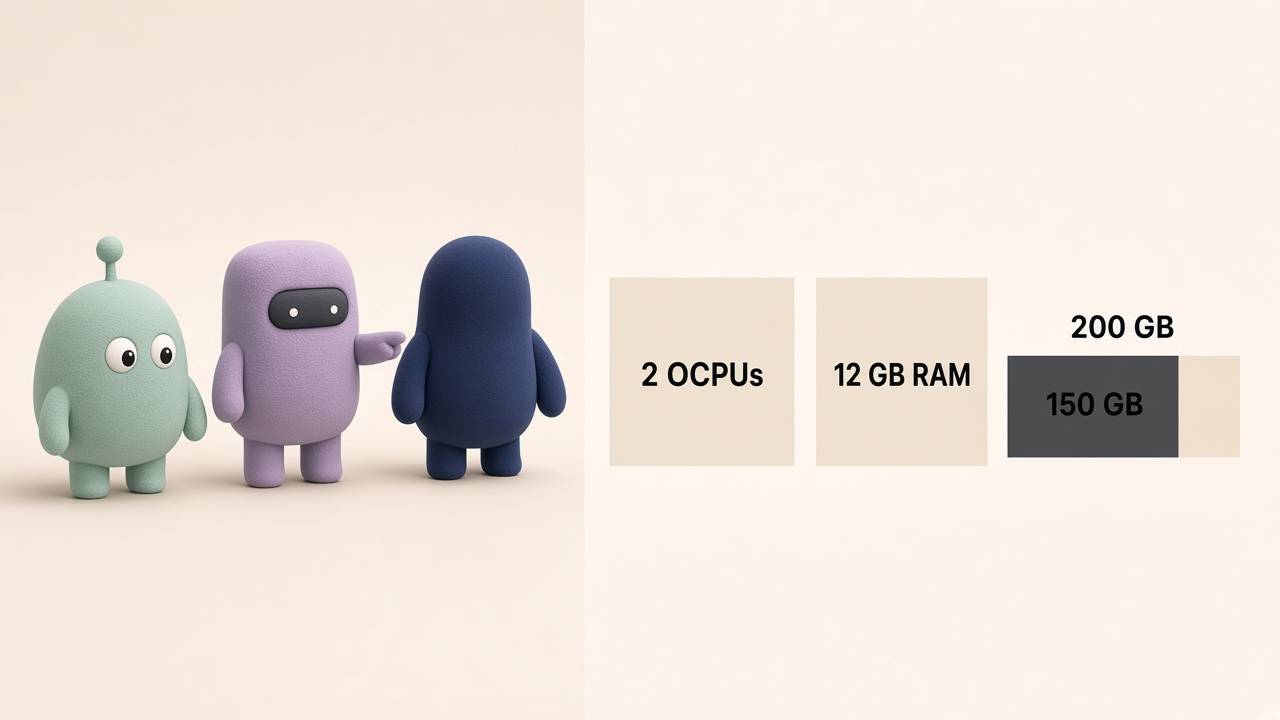
Use the whole free computer on one machine. Spend 150 of the 200 GB on its disk.
Once you understand the size, you do not have to walk the form by hand. You hand this note to the browser agent, the one in the Claude app on your computer. It does the clicks. You sign in to the account and confirm it if Oracle asks for a payment.
Use the note for creating the lab. Open it in the browser on my computer. Two processors, 12 GB, a 150 GB disk, no door to the internet. If Oracle asks me to confirm, wait for me.
Use this skill
---
name: create-lab
description: >
  Use this when the free Oracle computer has to be created from the
  browser on my computer. Do not make it bigger than the free plan.
---

# Create the lab

Work in the browser of the Claude app, on my computer. Do not use
the server's browser. If the app is closed, say so and stop.

Before you start, read the built-in browser skill.

## What to create

- One computer on the Always Free plan, Arm chip.
- Two processors and 12 GB of memory. If the form offers four
  processors or 24 GB, do not use them: that is no longer free.
- A 150 GB disk, chosen on the same screen. Do not leave the
  default size.
- A recent Ubuntu. No public address, if the form allows it.
- Do not open rules that let the whole internet in.

## How to act

- If it asks me to sign in or to confirm a payment, wait. Do not
  invent a password or change mine.
- If "out of capacity" appears, say so and try another zone, or
  later. Do not upgrade the account to paid to skip the message,
  unless I ask for that in this chat.
- When you finish, tell me the computer's name and whether it has
a public address. Do not publish anything.2. Four Places, and Why They Stay Separate
The useful idea is not a diagram of servers. It is that four places have four jobs, and mixing them is how an experiment leaks into the real product.
The lab is the computer that does not turn off. Agents build here. They can leave a prototype running all night, try a second version beside the first, and throw away the one that came out wrong. This is the place for half-finished work.
Your laptop is where you decide. The chat lives here. So do your signed-in sessions, and Claude’s browser: the panel inside the Claude app that can open sites as you. The lab should not browse your accounts. It does not have your sessions, and it should not have them.
The notebook is where the reasons live. Mine is an Obsidian vault, kept in sync between the laptop and the lab by a small app called Syncthing. Syncthing is a private Dropbox that you run yourself: you edit a note on the laptop and the same note shows up on the lab, and the other way around. The notebook is not a code project. Agents may read it. They do not “tidy it up” and they do not publish it.
The real product is a different computer, with its own way of shipping. Agents do not fix the live site by logging into that machine. They change the project, and the usual release path carries the change. If an agent offers to “update production right now,” the answer is no.
That last sentence was going to be a table. It read like a spec, and on the page it broke into columns. Here it stays as a rule you can actually hold:
The lab builds and tests. The laptop decides and browses. The notebook remembers why. The live product only changes through the door you already trust.
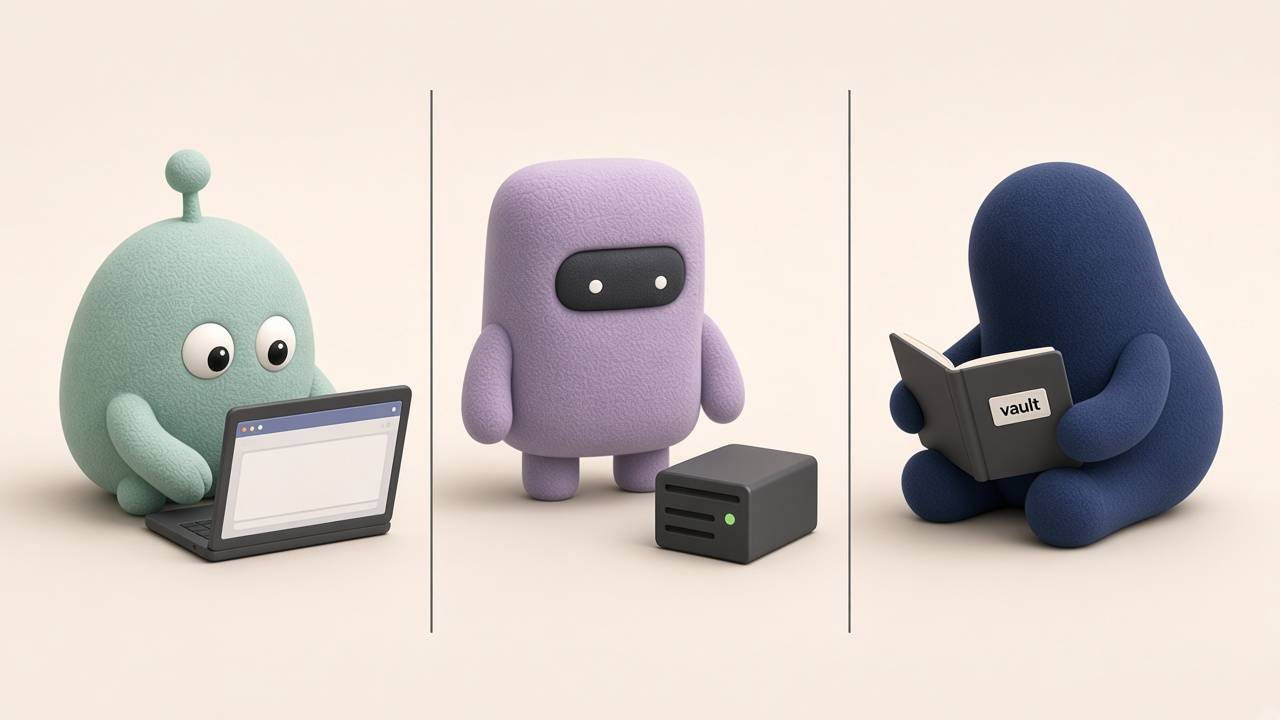
Three rooms. The browser stays with you. The work stays on the lab. The notes stay in sync. They do not melt into one pile.
A practical consequence, because this is where people get stuck: when the agent on the lab says “open localhost,” it means a page that exists on the lab, not on your laptop. Localhost is “this computer,” and you are holding a different one. You open the prototype by the lab’s private name, which is the next section.
Once the computer exists, you hand this note to the agent that connects to it. It does not browse Oracle’s website. It leaves the machine ready to work and closed: the lab builds, the notebook is left alone, and the real product is not edited from here. The Tailscale hallway has its own note, in the next section.
Use the note for leaving the lab ready. Connect, confirm the 150 GB disk, and do not open anything to the internet. Do not go into the real product or the notebook to “tidy it.”
Use this skill
---
name: leave-lab-ready
description: >
  Use this the first time you connect to the lab. Leave it ready
  to work and closed to the internet. Do not mix the four places.
---

# Leave the lab ready

This machine is the lab. It is not my laptop, it is not the notebook,
and it is not the product people use.

## On the way in

1. Confirm the disk is about 150 GB. If Oracle's site already grew
   it and the system still shows less, grow the partition. Do not
   format it. If you are not sure of the disk's name, stop and
   show me the list.
2. Do not open rules that let the whole internet in. If a door is
   already open, close it and tell me. Do not leave it "for now."
3. Do not edit the live product. If it has to change, the change
   goes out through the usual release path.
4. You may read the notebook. Do not tidy it, do not publish it,
   and do not turn it into a code project.
5. The private hallway is called Tailscale. Do not install it in
   this step unless I asked you to. The note for setting up
   Tailscale is for that.

## When you finish, tell me only this

- Whether the disk ended up at 150 GB.
- Whether any door to the internet stayed open.
- What you left untouched, and why.3. Tailscale Is the Hallway Between Your Things
Tailscale is the piece nobody explains, because the install command is shorter than the reason.
Your lab is a computer in some data center. By default, the way to reach a computer like that is to publish it on the internet: an address anyone can try, a door on a port, a password or a key. That is a bad door for a workbench. Prototypes are ugly. They hold test data. Agents open a port “so you can see it” and leave it open.
Tailscale builds a private hallway. You install a small app on the lab, on the laptop, and on the phone. Those devices become a tiny network that is yours. From the hallway you open the prototype as if the lab were on the desk. From the public internet, the hallway does not exist.
That is the whole product. It is not a VPN you configure for a company. It is a way for your own devices to see each other, and for everyone else to see nothing.
What you do, once:
- Create the Oracle computer without a public address, if the form allows it. If it already has one, do not add a rule that lets the whole internet talk to it.
- Install Tailscale on the lab and sign in with your account. The same account you use on the laptop.
- Turn off key expiry on the lab. The laptop can ask you to sign in again, because you are there. The lab cannot. An expired key looks like “the computer died” on the day you are not around.
- When you want to see something the agent built, ask for the Tailscale name, not a public link.
The command, if you would rather hand it to the agent than type it:
curl -fsSL https://tailscale.com/install.sh | sh
sudo tailscale up
After that, the lab has a name, something like lab.your-network.ts.net. From the laptop you open http://that-name:1313. You do not memorize Oracle’s address. You do not forward ports.
Inside Tailscale there are two switches worth knowing because they do the opposite of what you want.
Funnel publishes a page to the whole internet. Leave it off. The feature you want is Serve, which publishes a page only inside your hallway. “I want to see the prototype on my phone” is Serve. “Let the world see it” is Funnel. Agents mix them up if you say “make it reachable.”
Exit node sends your other devices’ web traffic through the lab. You do not want the phone browsing the web from a free computer full of half-finished projects. Leave it off.
[!warning] “Just for today” is how the door stays open If a tutorial tells you to open the remote-access port to the world, skip that step. Tailscale replaces it. If an agent opens it anyway, close it the same day and tell it the public path is not part of the design. The next session will copy whatever it finds.
The payoff is what makes the lab worth it. You are on the couch, or on your phone, and the agent has a prototype running. You open it in Claude’s browser, or in yours, through the hallway. You click the flow. You tell the agent what felt wrong. It changes it on the lab while you watch. Nothing was published. Nothing was left on the internet. You were testing one thing, which is the work.
This note guides the agent that is already inside the lab. It goes step by step: it installs the hallway, leaves it without expiry, and does not open the machine to the world. You confirm the sign-in when Tailscale asks.
Use the note for setting up Tailscale. Do it on the lab, with the same account as my laptop. Do not turn on Funnel, and do not use it as an internet exit. When you finish, tell me the name I use to open the machine from here.
Use this skill
---
name: set-up-tailscale
description: >
  Use this to install Tailscale on the lab and leave a private
  hallway. Walk through the process step by step. Do not publish
  anything to the internet.
---

# Set up Tailscale

Tailscale is the hallway between my laptop, my phone, and the lab.
It is not a door to the internet.

Go in order. If a step asks me to sign in, stop and wait for me.
Do not continue until you have told me what happened in this step.

## Steps

1. Install Tailscale on the lab and start it.
2. Use the same account that is already on my laptop. If the device
   has to be approved, wait for me.
3. Turn off key expiry on this machine. If it expires, I am locked
   out on the day I am not there.
4. Do not turn on Funnel. That publishes a page to the world.
5. Do not use the lab as the internet exit for my other devices.
6. If I want to see a prototype only from my own devices, use
   Serve, which publishes inside the hallway. Do not use Funnel.
7. Check that the lab can be reached by its Tailscale name. Do not
   ask me for Oracle's public address.

## When you finish, tell me only this

- The Tailscale name.
- Whether key expiry was turned off.
- Whether Funnel was left off.
- Any step you could not close, and why.4. The Notes You Leave the Agent
A skill is a saved note. The agent reads it before it acts, so you do not have to repeat the same rules every time you open the chat. You do not write the file. You tell the agent, once: “Save this as a note and use it from now on.” It leaves the note in the folder it already checks.
These two are for the day to day. Creating the machine, leaving it ready, and setting up Tailscale are already at the end of the earlier sections.
When you want to see the prototype
The agent on the lab will try to open the page from the lab. Nobody is signed in there, and “this computer” means the lab, not the laptop in your hands. Claude’s browser is something else: it is the panel inside the Claude app, on your computer, where you are already signed in to your accounts. From there you can click the flow, and so can the agent, if you ask it to.
What you tell it:
Use the browser on my computer, the one in the Claude app. Open the prototype with the lab’s Tailscale name. Do not publish it. If a site asks me to sign in, wait for me. Do not close my sessions.
That is enough to test. The lab builds. You look from your computer. If the Claude app is closed, the agent has to say so and stop, not keep trying. If the design is what you want to review, ask it for a screenshot. If you only want to know what the page says, have it read the page.
When the disk fills up
The other sentence you end up repeating is “it’s full, clean it.” Without a rule, the agent deletes the biggest thing it finds. Sometimes that is junk. Sometimes it is the project you did not save, or the notebook, or a database from a test.
The rule fits in three baskets. They are the ones in the picture.
It may throw these away on its own. Old copies of the tools, leftover installs, tests you already stopped that had no data. One previous version of each tool stays, in case you need to go back. The rest is weight.
It has to ask, in a single message. An experiment that is still running. A folder with changes you have not saved. A database. A restart. Restarting turns off every conversation with the agents. You choose the moment.
It does not touch these. The project you are in. The notebook. The Tailscale hallway, because if it turns that off you are locked out. Passwords and keys. The product people already use, which does not even live on this machine.
How full the disk is only changes how hard it pushes. If it is about half full, it throws away the junk and stops. If it passes eight tenths, it lists the heaviest things and waits. If it is almost full, it tells you first and only then throws away the junk.
What you tell it:
Clean the lab. Delete only what can be downloaded again. If something might be the work, ask me about all of it in one message: what it is, how much it weighs, and what you recommend. Do not touch the notebook, Tailscale, the passwords, or the main project. Do not restart unless I ask.
There is a small habit next to these two notes. When the agent changes how the lab works, it writes the reason in the notebook, not inside the product. The product is what you are testing. The notebook is why you set it up that way.

One note sends the agent to the browser on your computer. The other tells it what it may throw away.
5. Week Four Is When the Drawer Fills
The first week feels spacious. You used a slice of 150 GB and the agents move fast. Week four is when the lab gets expensive in the only way a free computer can: space, and your attention.
What actually grows, in the order I see it:
The folders an experiment needs in order to run. Every project the agent touches downloads its own pile of libraries. Something you have not opened in a month does not need that sitting there. It can be downloaded again. It still stays in the “ask me” pile, because putting it back takes time when you are in a hurry. Clear it when the disk passes 80%, not before.
Old copies of the agents themselves. The tools update and keep the last many versions. Keep the one that is running and one you could go back to. Remove the rest. They are often several gigabytes, and that is safe junk.
Forgotten previews. A preview you tried on Tuesday is still installed on Friday, doing nothing. Those can go if they are more than a week old and nobody is using them. A folder that looks like a database is a database until you look at it. Ask.
Side copies of projects. When two agents work at the same time, each one has its own copy so they do not step on each other. A copy whose work is already merged, and that nobody is using, can go. A copy with unsaved changes is someone’s afternoon. Ask. If the answer is to delete it, save the changes somewhere first.
Logs. The history of what the agents did grows even if you published nothing. Put a cap on it. Do not delete a file that a running experiment still has open.
A system update that wants to restart. Security updates are worth it. An automatic restart is not. The lab should install the update and then tell you a restart is waiting. You restart when no agent is in the middle of a test.
Once a week is enough, plus a look when the disk crosses 80%. Run the cleanup note on purpose. The report has to say what was deleted, what is waiting for you, and how full the disk was before and after. If the agent cannot explain a deletion, that deletion was not allowed.
[!info] Check whether the lab went quiet On that weekly pass, look at the last seven days of activity. Not to optimize it. To see whether the computer was quiet enough for Oracle to take it back. A lab you only remember when you need it is a lab you can lose.
What I do not leave to the agent without supervision: deleting the “ask me” pile, opening something to the internet, changing passwords, and restarting the machine. Those are judgments. A note that “takes care of everything” ends up taking care of what it should not.
This note is that pass. Once a week, or when the disk crosses eight tenths. The agent throws away the junk, asks you about what might be work, and leaves alone the things that would lock you out of the lab.
Use the note for maintaining the lab. One pass. Tell me what you deleted, what is waiting for my answer, and how full the disk ended up.
Use this skill
---
name: maintain-lab
description: >
  Use this for the lab's maintenance pass. Throw away only what can
  be downloaded again. Ask about anything that might be work. Do not
  touch the notebook, Tailscale, the passwords, or the product.
---

# Maintain the lab

One pass. This is not a free sweep. If the disk is almost full,
tell me first and only then throw away the junk.

## It may throw these away on its own

It can be downloaded again, or it has already served its purpose.

- Old copies of the tools. Keep the one that is running and one
  previous version, in case you need to go back.
- Leftover installs and caches.
- Previews that have gone unused for more than a week and do not
  hold data.
- Copies of a project whose work is already merged, if nobody is
  using them and they have no unsaved changes.
- Old logs. Do not delete a file that a running experiment still
  has open.

## It has to ask, in a single message

Each item says what it is, how much it weighs, and what you recommend.

- An experiment that is still running.
- A folder with changes I have not saved.
- Something that looks like a database.
- Libraries from a project I have not opened in a month. They can
  be downloaded again, but reinstalling takes time.
- A restart. Security updates get installed. The restart waits
  until I ask for it and until no agent is in the middle of a test.

If I say to delete a copy that has changes, save those changes
somewhere before you delete it.

## It does not touch these

- The project I am working on.
- The notebook. You may read it. Do not tidy it or publish it.
- Tailscale, and anything that would lock me out of the lab.
- Passwords, keys, and secret files.
- The product people already use. It does not live on this machine.
- Do not open anything to the internet.

## How full the disk is

- Below seven tenths: throw away the junk and stop.
- Between seven and eight: throw away the junk and recommend the
  heaviest things in the ask pile.
- From eight up: push on that list.
- Almost full: tell me first.

On the same pass, check whether the computer was quiet enough over
the last seven days for the provider to take it back. Do not
optimize it. Tell me if it was silent.

## When you finish, tell me only this

- How full the disk was before and after.
- What you deleted.
- What is still waiting for my answer, and why.
- Whether the machine was silent this week.The free computer is enough to try real things. Two processors, 12 GB of memory, a 150 GB disk, a private hallway to your laptop and your phone, a notebook that stays in sync, and the notes the agent has to read.
What fails is not the plan’s fine print. It is an agent with a keyboard and no limits, on a computer you published because a tutorial said to.
Set up the hallway first. Leave the notes where the agent is going to find them. Then ask it to build the thing you have been describing in the chat, and open it from the couch.
That is the use. Not a second job as an administrator. A place where an idea can keep running long enough for you to decide if it works.
If you want to set this up in your business, and not only read about it, write to me. I do consulting and mentoring for learning to use Claude in your work, and for orchestrating agents that build and test without the experiment dying when you close the laptop.
Write to me