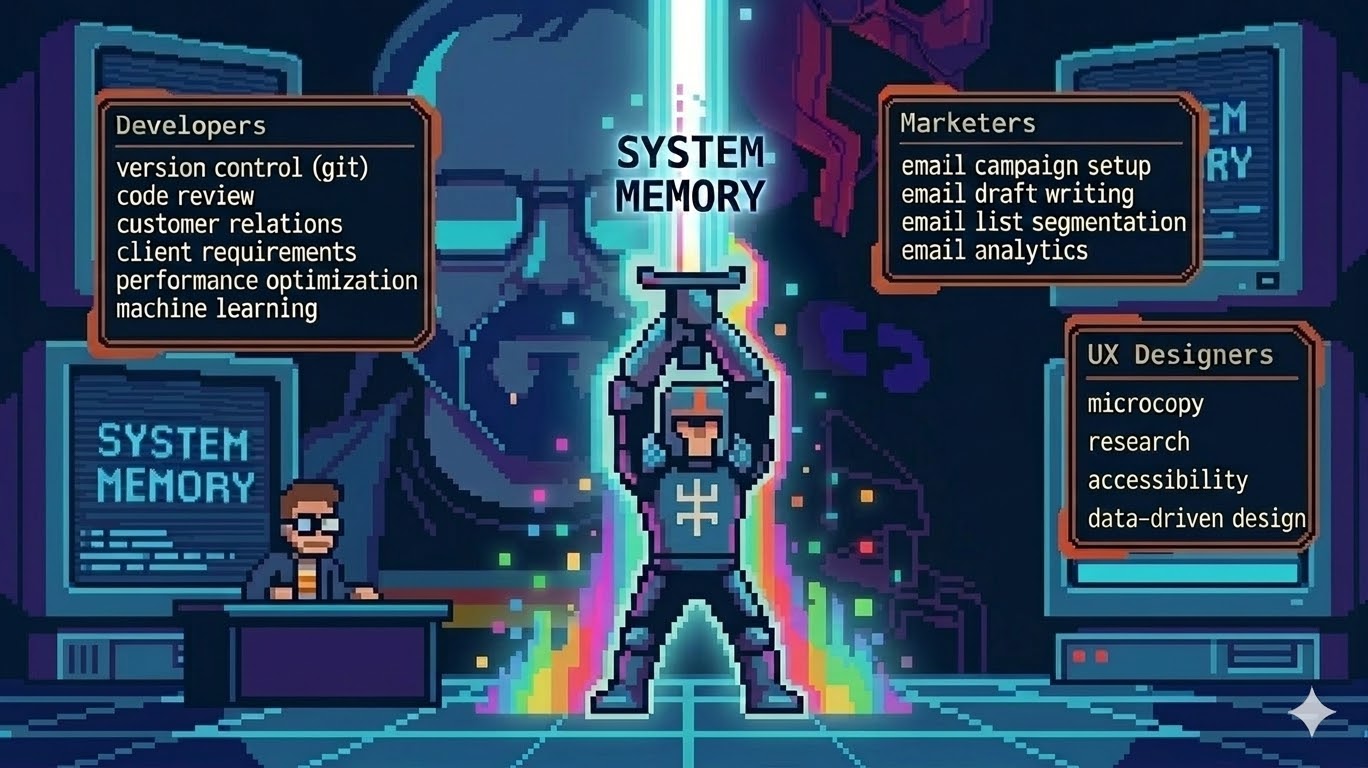
Claude Code Skills: The Professional Layer Most Users Ignore
You’re already in Claude Code. You know the basics. You’ve seen what it can do. But every new session starts the same way: you spend the first five minutes re-explaining your context, re-typing the prompts you’ve written a hundred times, and re-establishing the ground rules before any real work gets done.
That friction isn’t a Claude problem. It’s an infrastructure problem. And the fix is a feature most users walk right past: Skills.
This is the professional layer. The part where Claude Code stops being a powerful chat interface and starts being a system you actually built.
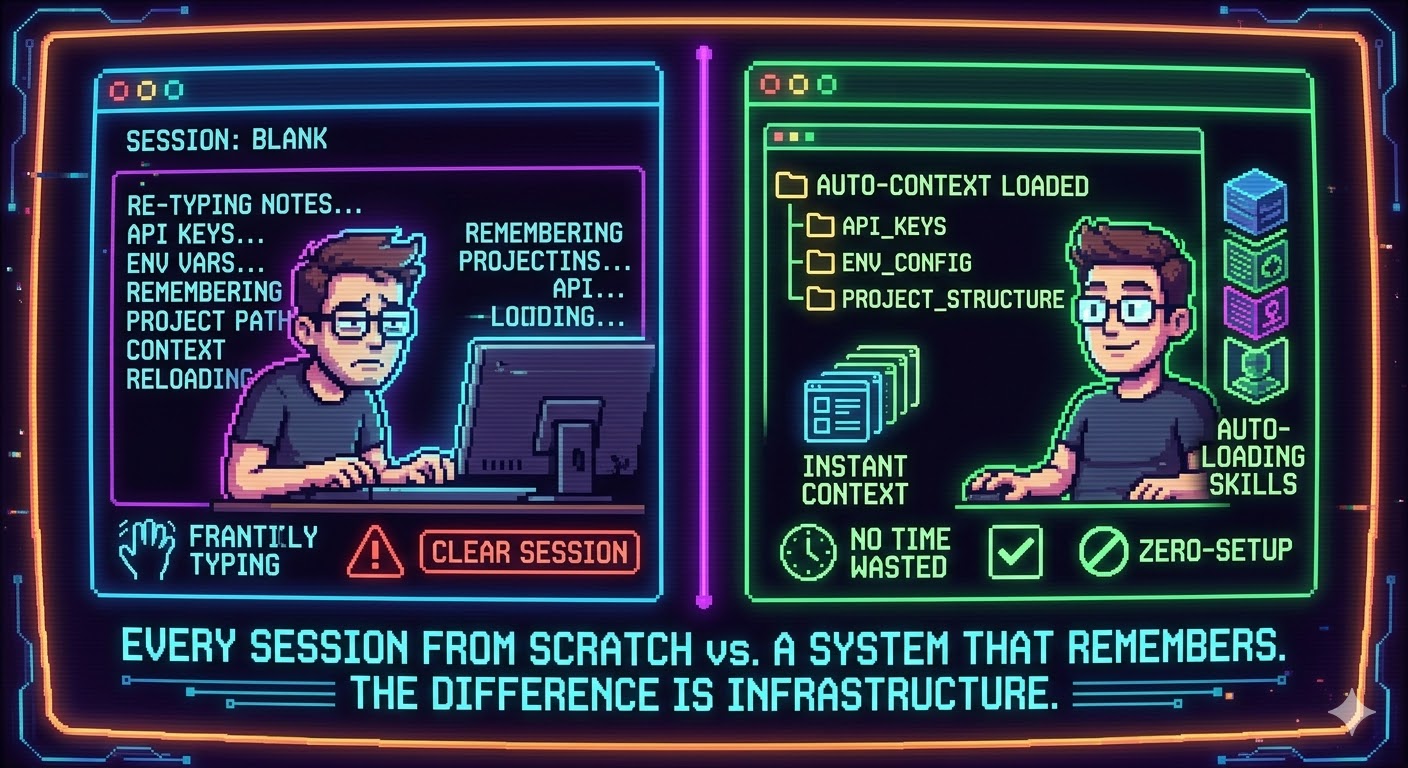
Every session from scratch vs. a system that remembers. The difference is infrastructure.
1. Skills vs. Slash Commands: Clear the Confusion First
Before building anything, understand what you’re working with. The terminology has shifted.
The original format was .claude/commands/ — markdown files that became slash commands. That format still works. But it’s legacy. The current standard is .claude/skills/<skill-name>/SKILL.md. Skills support everything commands did, plus autonomous invocation (Claude can trigger them without you typing /), supporting files (scripts, references, templates), and more granular control over what the skill is allowed to do.
[!info] Project vs. Personal Skills Skills in
.claude/skills/inside your repo apply only to that project — and get committed to git, which means your whole team gets them. Skills in~/.claude/skills/are global. They follow you across every project on your machine. Choose based on whether the workflow is yours alone or belongs to the team.
When you type /skill-name, Claude loads that skill and follows its instructions. When you don’t type anything, Claude can still decide to load a relevant skill automatically — that’s the part the .claude/commands/ format couldn’t do.
For the rest of this article, we’re building in the skills format.
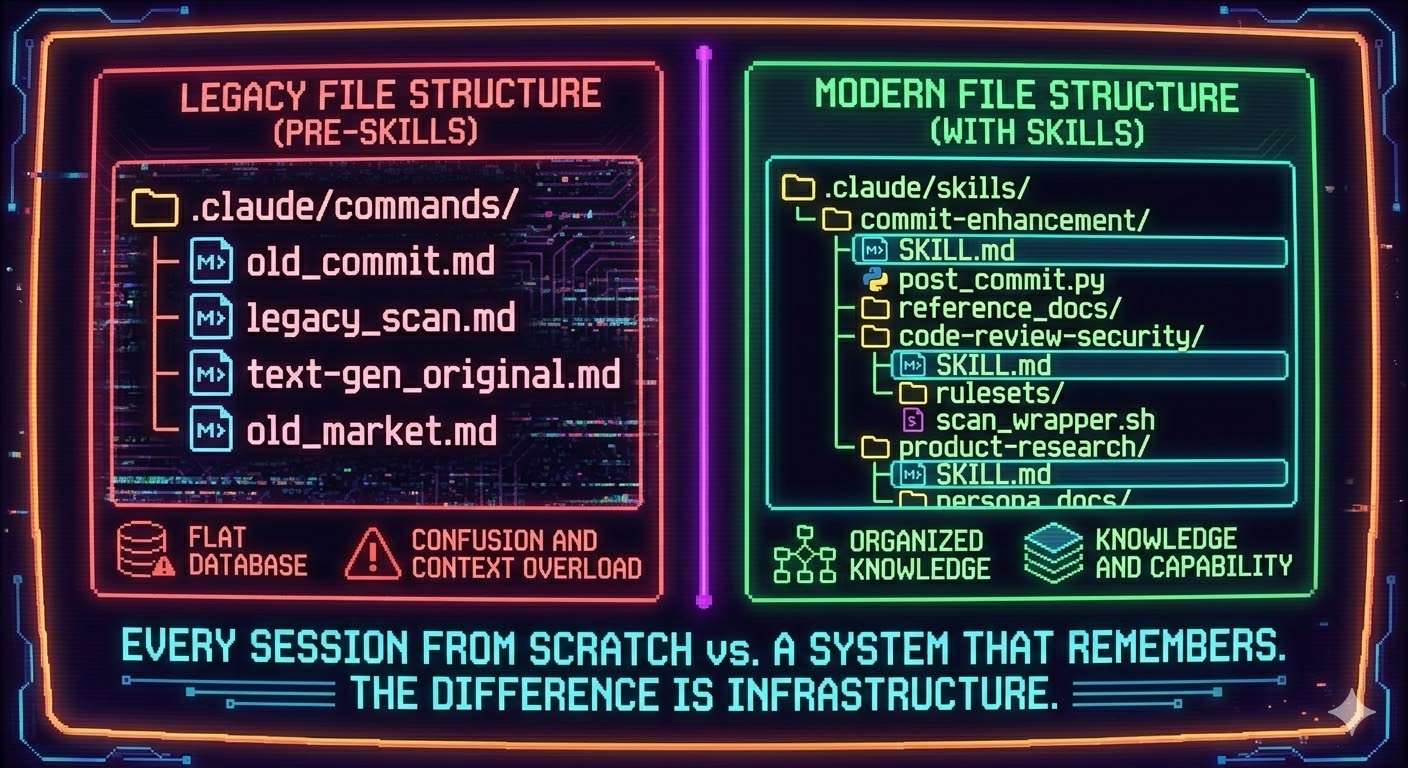
Legacy commands vs. the skills format. Same idea, fundamentally more powerful.
2. What Professionals Actually Use Skills For
The community around Claude Code has been building and sharing skills since the format launched. The awesome-claude-code repo is the clearest signal of what people reach for most. Three patterns dominate: workflow automation, quality gates, and context priming.
Here’s what that looks like by niche.
Developers
The most popular developer skills encode the steps you follow every time, without thinking — but that still require effort to do right.
/commit — Reads git status and git diff, analyzes what changed, writes a structured commit message following your conventions. The version built into Claude Code does this well. Most developers who build their own extend it with project-specific rules (commit message format, changelog updates, Jira ticket linking).
/review — Spawns parallel review agents for code quality, security, and efficiency. The built-in /simplify command does a version of this. Custom review skills go further: checking for your team’s specific anti-patterns, enforcing architecture decisions, flagging missing test coverage.
/security-scan — Runs a structured vulnerability check over changed files. This is a skill worth locking to model: claude-opus-4-6 (more on that below) because the reasoning depth matters here.
/test-gen — Takes a function or component and generates test cases following your framework and conventions. Saves 20 minutes per feature. Scales to the size of your codebase.
Marketers
Marketing is the niche where skills pay off fastest because the work is deeply repetitive: same structures, different content, every day.
/email-draft — Takes a campaign brief (objective, audience, CTA) and outputs a full email in your brand voice. The skill holds the voice guidelines so you don’t re-paste them every time.
/meta-seo — Takes a URL or page title and generates title tags, meta descriptions, and Open Graph copy within character limits. Mechanical work that disappears in seconds.
/ad-variations — Takes a single concept and produces copy variations for different formats (feed, stories, search), different audiences, and different emotional angles. Useful for A/B testing without starting from a blank page each time.
/market-response — More sophisticated. Simulates how different customer segments would respond to a campaign, price change, or product announcement. Closer to scenario planning than copywriting, but it’s become a standard skill for growth-focused teams.
UX Designers
For designers, the highest-value skills are the ones that eliminate the gap between a research session and a document someone can act on.
/research-synthesis — Takes raw interview notes or observation bullets and returns structured insights: themes, tensions, opportunity areas, and the key quote that proves each point. The output is deck-ready.
/microcopy — Takes a UI state (empty state, error message, onboarding step, confirmation dialog) and generates copy variations with the reasoning behind each. Includes tone matching, length control, and accessibility-friendly phrasing.
/decision-doc — Documents a design decision in structured format: what was decided, what alternatives were considered, what evidence supports the choice, and what would need to change to revisit it. Engineers read it. Stakeholders read it. Future-you reads it six months from now.
/accessibility-audit — Reviews a component description or Figma spec for WCAG compliance issues before anything goes to engineering. Catches problems at the right stage.
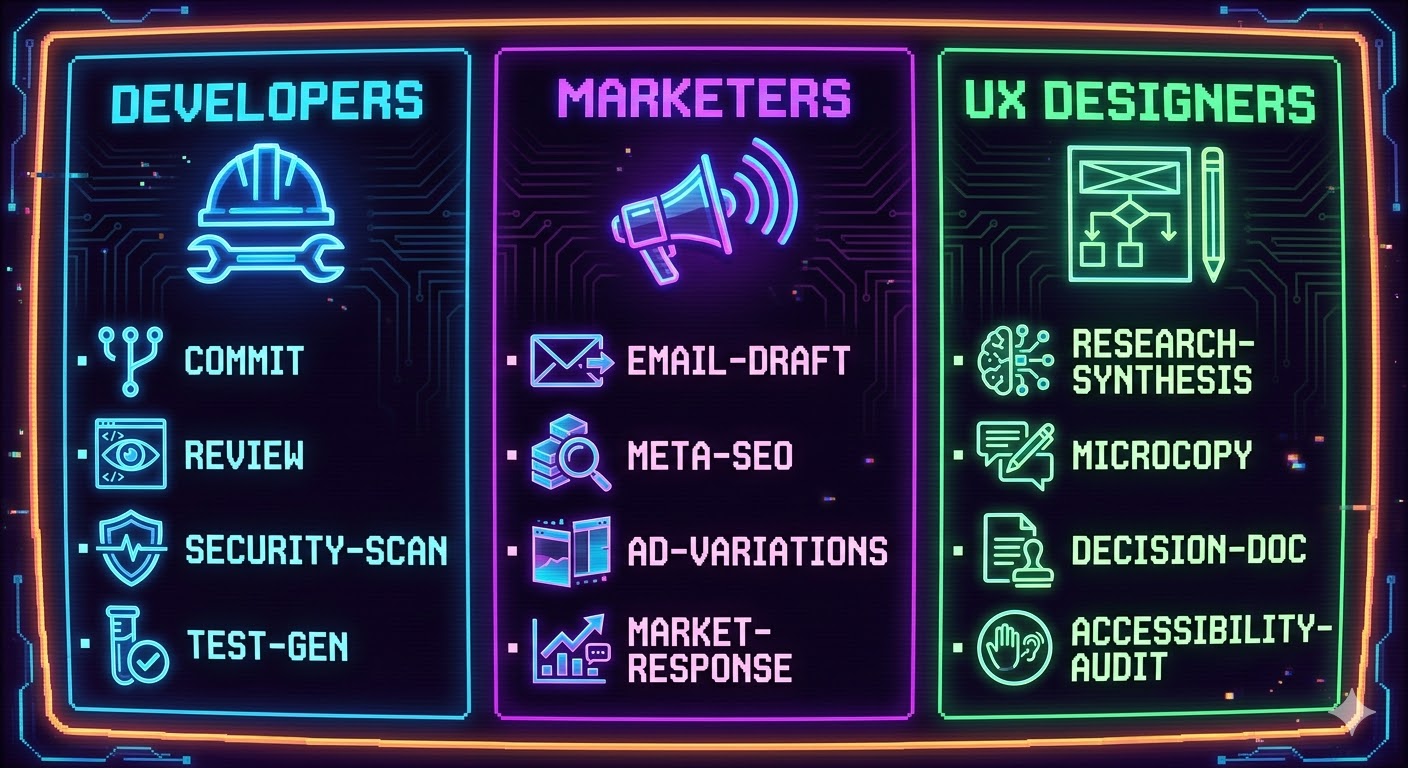
The skills that professionals actually build first, by discipline.
3. How to Build Your First Skill Using Claude Itself
Here’s the part most tutorials skip: you don’t have to write skills from scratch. Claude can build them for you.
The process is three steps.
Step 1: Describe the workflow
Tell Claude what you do repeatedly. Be specific about inputs, outputs, and any rules you follow. Don’t be abstract.
“I need a skill that takes user interview notes as input. It should identify the top 3-5 themes, pull one supporting quote per theme, and flag the single biggest tension or contradiction in the data. Output should be structured with clear headers. Keep it under 500 words.”
Step 2: Ask Claude to generate the skill file
Based on that workflow, generate a SKILL.md file I can drop into ~/.claude/skills/research-synthesis/.
Include proper YAML frontmatter with name, description, and allowed-tools.
The skill should only need Read access — no file writing.
Claude will output a complete file. Review it. The instructions in the markdown body are the prompt Claude will follow when you invoke the skill — read them like a prompt and edit anything that doesn’t match how you actually work.
Step 3: Place the file and test it
mkdir -p ~/.claude/skills/research-synthesis
# paste the file Claude generated
Type /research-synthesis in your next Claude Code session. Paste some notes. See what comes back. Iterate on the instructions in SKILL.md until the output matches what you’d produce yourself.
[!important] The Iteration Loop Your first skill won’t be your best skill. The instructions in
SKILL.mdare a prompt — treat them like one. Run it against real inputs, identify where the output misses, and tighten the language. Three rounds of iteration usually produces something you’d use every day.
The Anthropic skills repo maintains a skill-creator skill specifically for this purpose. It’s a meta-skill that helps you scaffold new skills with correct frontmatter structure and good instruction patterns. Worth installing before you build anything custom.
4. Specifying Models Inside Skills
Not every task deserves your most powerful model. Running Claude Opus on a task that Haiku handles perfectly wastes tokens and slows things down. Skills let you specify the model in frontmatter — which means you can route intelligently by default without thinking about it at runtime.
---
name: security-scan
description: Run a structured security vulnerability analysis on changed files. Use when reviewing PRs or before deploying.
model: claude-opus-4-6
allowed-tools: Read, Glob, Grep
---
---
name: meta-seo
description: Generate SEO metadata (title, description, OG) for a page. Use when publishing or updating content.
model: claude-haiku-4-5-20251001
allowed-tools: Read
---
The logic for choosing:
- Opus for tasks requiring multi-step reasoning, security analysis, architecture review, or synthesizing ambiguous information where wrong answers have real costs.
- Sonnet for tasks requiring strong output quality but lower stakes — content drafting, code generation, research synthesis.
- Haiku for mechanical tasks with clear structure — metadata generation, formatting, copy variations, commit messages.
[!danger] The Hidden Cost of Ignoring This If you don’t specify a model, Claude Code uses whatever the session default is. On long sessions, that’s usually Sonnet or Opus. Running metadata generation through Opus 100 times a month is real money for output quality you’d get from Haiku. Model routing in skills is the single highest-leverage cost optimization available.
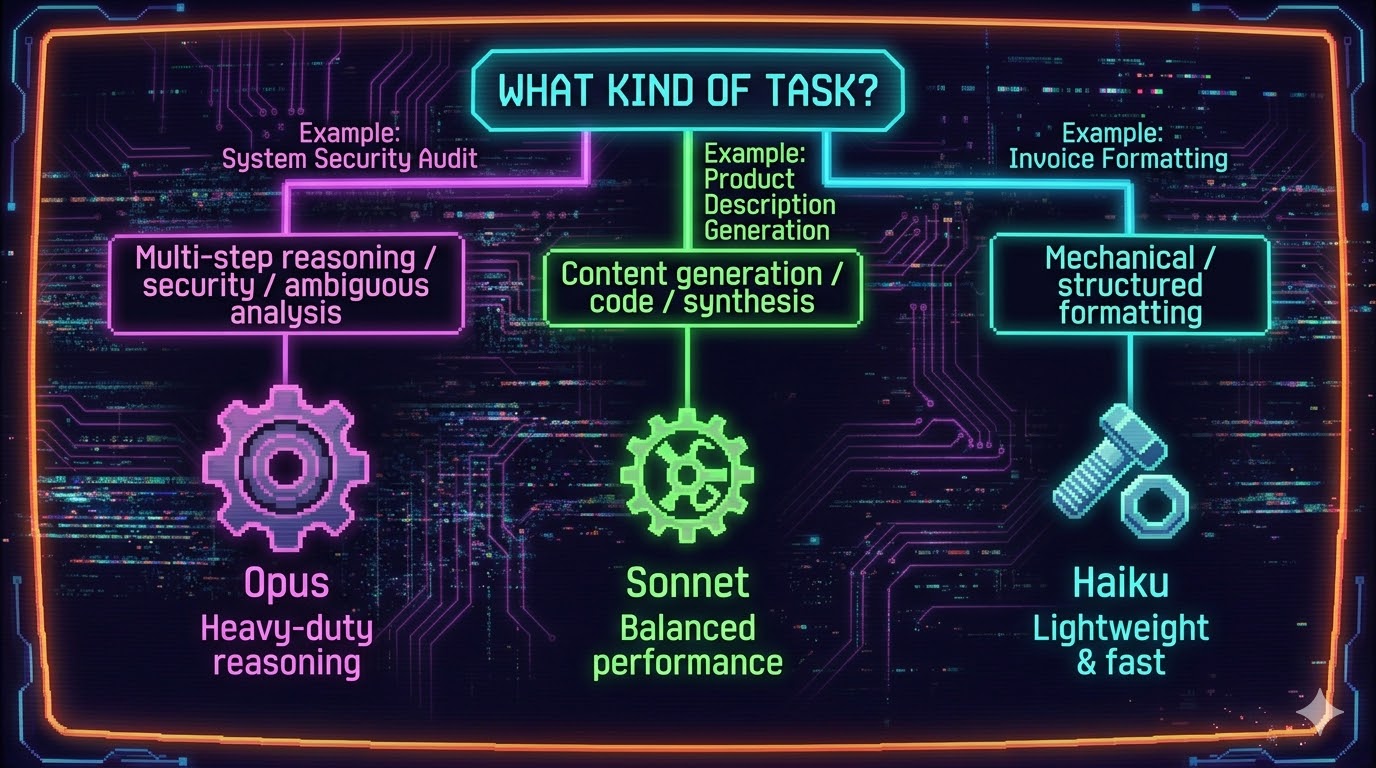
Match the model to the task. The cost difference compounds fast.
5. Never Lose Your Skills Again: Backup Strategies
Your global skills live in ~/.claude/skills/. Format your computer, and they’re gone. This is a problem most people only discover once.
There are three approaches, ranked by reliability.
Option 1: Dotfiles repo (recommended)
Create a dotfiles repository on GitHub. Commit your ~/.claude/skills/ directory into it. When you set up a new machine, clone the repo and run a setup script that symlinks the skills folder back to ~/.claude/skills/.
# In your dotfiles repo
ln -s ~/dotfiles/.claude/skills ~/.claude/skills
This gives you version control, history, and cross-machine sync. If you break a skill update, you can roll back. If you add a skill on your work machine, you can pull it to your personal machine.
Option 2: Cloud-synced folder
Move your ~/.claude/ directory to a synced location (iCloud, Dropbox, or similar) and symlink it back. This syncs automatically without manual commits.
mv ~/.claude ~/Dropbox/.claude
ln -s ~/Dropbox/.claude ~/.claude
Simpler to set up. Less version control. Works well if you’re on one or two machines.
Option 3: Keep everything in project repos
If most of your skills are project-specific, keep them in .claude/skills/ inside the project. They live in git already. The tradeoff is that these skills don’t follow you outside that project — but for team workflows, this is exactly what you want.
[!quote] “A skill you can’t restore after a fresh install isn’t a professional asset. It’s a note you’ll rewrite from memory.”
The practical recommendation: use the dotfiles repo for personal global skills, and project .claude/skills/ for team-shared workflows. Let git handle both.
6. Security: What to Know Before Your Skills Go Anywhere
Skills are text files. That’s their strength — easy to read, easy to edit, easy to share. It’s also where most security mistakes happen.
Never put credentials in skill files
This sounds obvious. It’s not. Skills often need to interact with external services — Jira, Notion, Slack, analytics APIs. The temptation is to hardcode the API key directly in the SKILL.md so the skill “just works.”
Don’t. Any skill in a project .claude/skills/ folder gets committed to git. Anyone with repo access reads it. Anyone who forks the repo gets it.
Use environment variables instead. Reference them as $JIRA_API_KEY in your skill instructions and set them in your shell profile or .env (gitignored). The skill stays clean; the credentials stay where they belong.
Lock skills to what they actually need
The allowed-tools field restricts what a skill can do. A content-generation skill that only needs to write to a file doesn’t need Bash access. A research synthesis skill that only reads notes doesn’t need Write.
---
name: research-synthesis
description: Synthesize user interview notes into structured insights.
allowed-tools: Read
---
Locking tools follows the principle of least privilege. It also protects you from accidentally building a skill that can execute shell commands when you only meant it to analyze text.
Project skills are visible to your whole team — plan accordingly
When you commit a skill to a project repo, every contributor gets it. That’s the point for workflow skills. But if a skill contains business-sensitive prompting logic — competitive positioning, pricing assumptions, internal terminology — treat it with the same review process you’d give any other committed file.
Some teams keep a /private/ subdirectory in .claude/skills/ that’s gitignored, for skills that contain sensitive instructions. Others keep sensitive skills in global ~/.claude/skills/ so they never touch the repo.
Think about what passes through the skill
When a skill runs, Claude sees whatever you pass to it — notes, documents, code, data. If you’re running a /research-synthesis skill over interview transcripts that contain PII, you’re sending that data through the API. Most organizations using Claude Code via API are covered by Anthropic’s data handling agreements, but know your context. Don’t pass confidential client data through a skill built on a personal account with no data processing agreement in place.
[!warning] Skills in Public Repos Some community skills libraries are public repos. If you fork one and add your own skills to it, be careful about what you commit before pushing back to origin. A simple git status check before pushing isn’t optional — it’s the habit that prevents the embarrassing kind of leak.
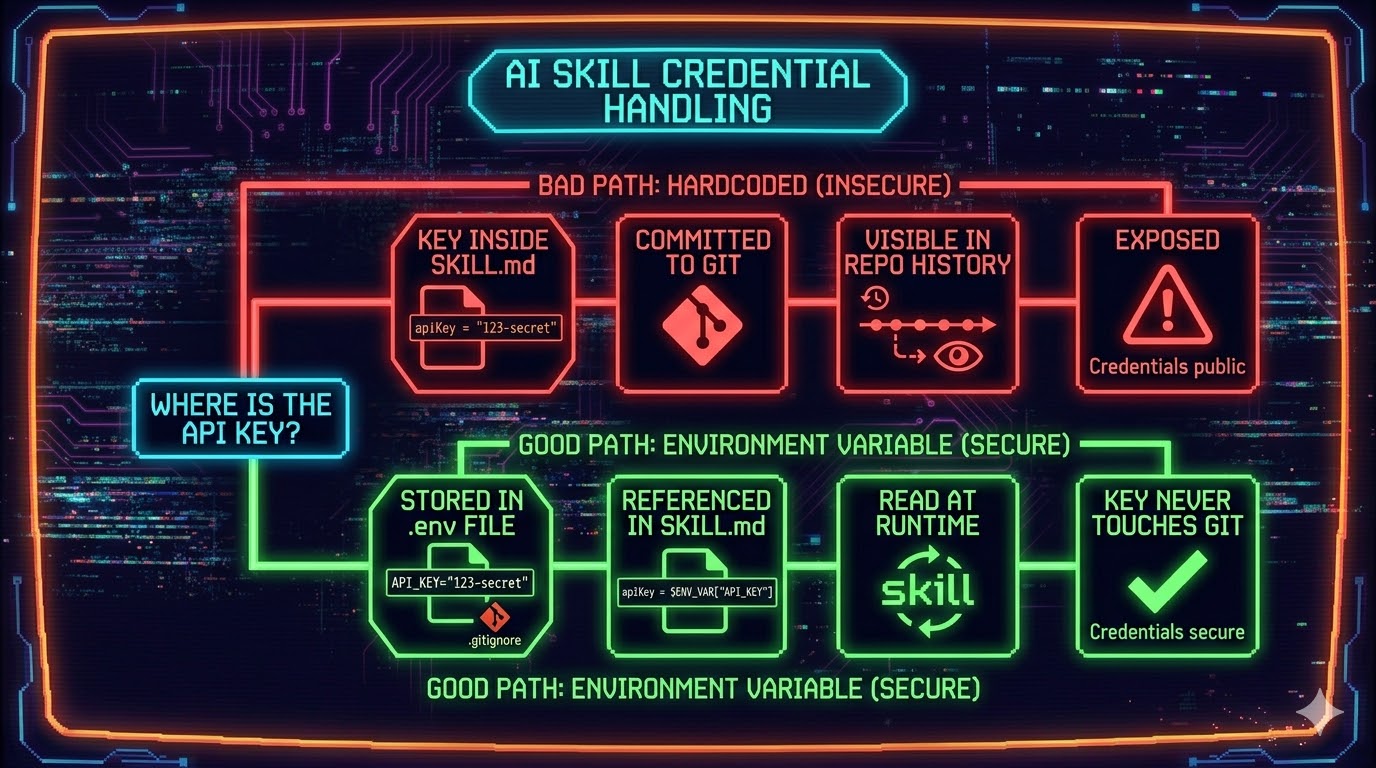
Hardcoded vs. environment variable. One path leads to a very bad morning.
7. The Skill Stack Worth Building First
If you’re starting from zero, build these four before anything else.
A commit skill — Reads your diff, writes a commit message following your conventions. Saves 3 minutes every commit. The kind of time savings that compounds.
A context-primer skill — Loads your project’s key context (architecture decisions, naming conventions, current sprint goals) at the start of a session.
disable-model-invocation: falseso Claude can load it automatically when it’s relevant.A writing skill — If you produce content, own the voice. A single skill that holds your brand voice guidelines, forbidden phrases, and output format eliminates the re-explanation every time.
A review skill — Whatever you review repeatedly (code, copy, designs, briefs) deserves a structured skill. Define what you check for. Let the skill run the checklist so you can focus on judgment, not process.
These four cover most of what people waste time rebuilding in sessions. Everything else is specialization.
Build Your First Skill This Week
The gap between Claude Code users and Claude Code professionals isn’t talent. It’s infrastructure.
Professionals don’t start each session from a blank slate. They’ve built the system: skills that encode their workflows, models matched to the complexity of each task, files backed up and version-controlled, and permissions scoped to what each skill actually needs.
Pick one workflow you do more than three times a week. Describe it to Claude. Ask Claude to generate a SKILL.md for it. Drop the file in ~/.claude/skills/ and test it against a real input before this week is out.
The first skill is the hardest one. After that, the system builds itself.
Resources mentioned in this article:
- awesome-claude-code — Community-curated skills, hooks, and commands
- Anthropic skills repo — Official skill examples including the skill-creator meta-skill
- Claude Code Skills documentation — Official reference for SKILL.md format and frontmatter
- Claude Command Suite — 216+ commands and skills across development, marketing, and analysis workflows